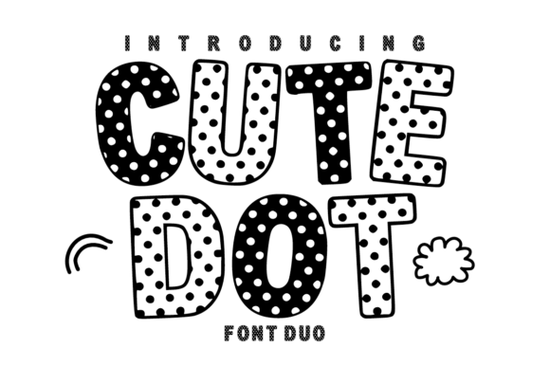
Looking for a playful, cheerful font that instantly gives your designs a fun, hand-crafted feel? The Cute Dot Duo Font is a polka-dot display typeface paired with a clean solid companion, making it easy to layer and mix for everything from birthday invitations to kids' apparel. It's one of those fonts that just makes people smile when they see it.
What Comes in the Cute Dot Duo Font Package?
This isn't just a single font file. You get two matching versions that work together seamlessly:
- Polka Dot version A bold, decorative display font filled with classic dots and quirky, irregular letter shapes. This is the showstopper.
- Solid version A clean, filled version of the same letterforms. Use it underneath the dotted version for layering or on its own when you need better readability.
Both fonts share the same hand-drawn personality, so they look intentional when paired. You can stack the solid version behind the dotted one for a shadow effect, alternate between the two for visual interest, or use the solid font for body text and the dotted version for headlines.
Who Is This Font Actually Good For?
The honest answer? Anyone working on projects that call for a sweet, happy, or youthful vibe. Here are some specific use cases where this font really shines:
- Cricut and Silhouette users The bold, simple shapes cut cleanly in vinyl, cardstock, and sticker paper. Great for custom decals and party favors.
- Print-on-demand sellers Kids' t-shirts, tote bags, and mugs with playful text sell consistently. A font like this helps your listings stand out in a crowded market.
- Teachers and classroom creators Bulletin board headers, name tags, and worksheet titles get an instant personality boost with polka dot lettering.
- Scrapbookers and digital planners The dotted texture adds visual interest without overwhelming your layouts.
- Small business owners If you run a bakery, party supply shop, or baby brand, this font fits right into your visual identity.
How Do You Layer the Two Font Versions?
This is where the duo concept really pays off. Here's a simple approach:
- Type your word or phrase using the solid version first.
- Duplicate the text layer and change it to the polka dot version.
- Align both layers on top of each other.
- Choose a contrasting color for the bottom solid layer to create a shadow or outline effect.
This layering trick works in Canva, Photoshop, Cricut Design Space, and most design software. It adds depth and dimension without needing any extra graphic elements.
Does It Pair Well With Other Fonts?
A decorative font like this works best when you pair it with something simpler. Use Cute Dot for headlines or short phrases, then combine it with a clean sans-serif or a simple script for supporting text. If you're building a collection of fun typefaces for your projects, you might also enjoy browsing other playful decorative fonts that bring a similar lighthearted energy.
For crafters who also work on embroidery or textile projects, checking out stitch-style fonts can round out your font library with options that translate well to needlework designs.
Where Can You Get the Cute Dot Font?
You can grab the full font duo directly from Creative Fabrica. If you want to see it in action or check licensing details, visit the Cute Dot product page for previews and download options. Creative Fabrica also offers subscription plans that give you access to thousands of fonts and graphics, which is worth considering if you design regularly.
Quick Checklist Before You Start Designing
- ✅ Download both the polka dot and solid versions of the font
- ✅ Install them in your system fonts folder or upload to your design tool
- ✅ Test the layering technique with two contrasting colors before finalizing your design
- ✅ Pair with a simple secondary font for readability on longer text
- ✅ Check the license terms for your specific use case (personal, commercial, POD)
- ✅ Try it on at least one real project a birthday card, a sticker sheet, or a quick social media graphic to see how it feels in context
Start with one small project this week. A simple party invitation or a set of cupcake toppers is a perfect way to test whether this font fits your style before building bigger designs around it.
Learn More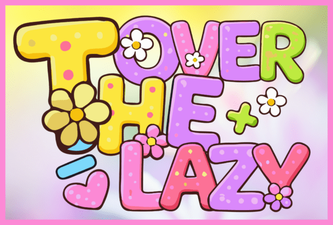 Over the Lazy Font: a Playful Take on Classic Typography
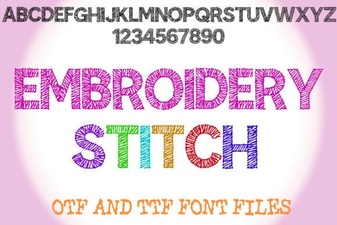 Creative Embroidery Stitch Fonts for Your Projects
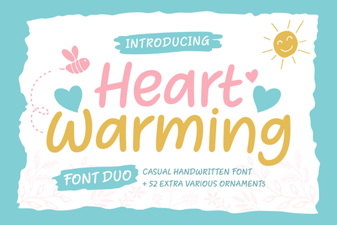 Heart Warming Font: Cozy Typography for Inviting Designs
 Designer Fonts That Elevate Your Creative Projects
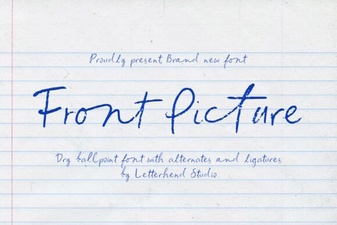 Front Picture Font – Elegant Script Font for Creative Designs
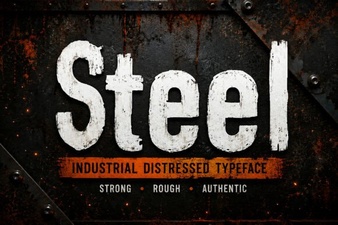 Steel Font: Bold Industrial Typography for Modern Design